Published byforahobby on 2006-09-08 Category: CD/DVD Creation | Page Views: 179215
Introduction
Welcome to the Xbox 360 DVDDecrypter Backup Tutorial which will hopefully save you all some dollars when burning those expensive backups of the xbox 360 titles you own..
This tutorial will explain in detail how to burn a backup IMAGE.DVD file to a DVD-r using dvddecrypter. I hope it helps you all..
Whats Required
- DVDDecrypter
- Backup IMAGE.DVD
- A few moments of your time lol.
Getting Started
1. Download and Install DVDDecrypter onto your PC
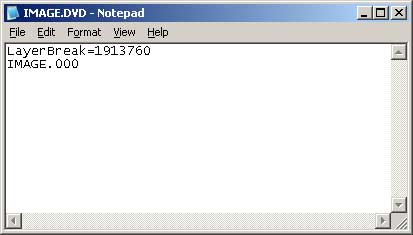
2. Open the IMAGE.DVD file in Notepad so you can see the following image:
Open your IMAGE.DVD using notepad as shown
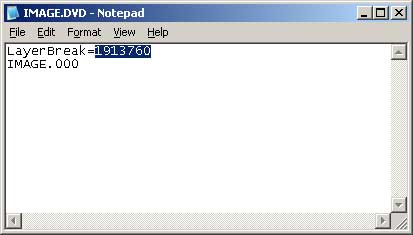
3. Using your mouse and select the Layerbreak area as shown in the example image below:
Select the layerbreak area with your mouse
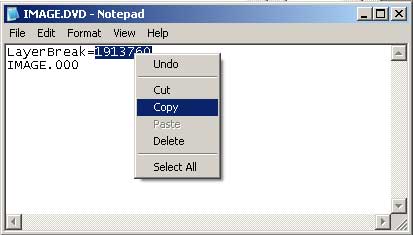
4. Right click and select 'Copy' to copy the value's into memory for use later or you can alternatively use Ctrl+C (Hold Control + C) to Copy as well.
Right Click and Select Copy
5. Do Not Close the IMAGE.DVD notepad.. We will need to edit this later..
Configuring DVD Decrypter
1. Start DVDDecrypter
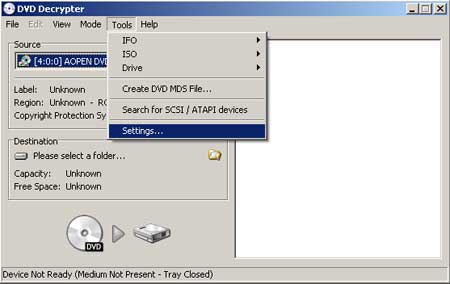
2. From the drop down menu at the very top of the DVD Decrypter Screen choose 'Tools' then ''Settings' as shown in the example below:
Select Tools and then Choose Settings from the drop down menu's
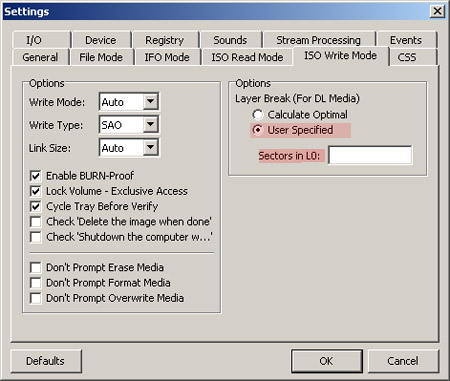
3. Once the next screen has been display select the tab named 'ISO Write Mode' as shown in the example image below:
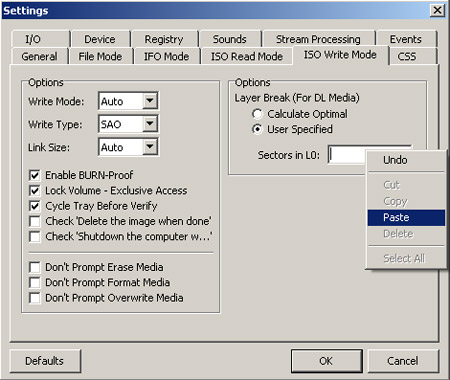
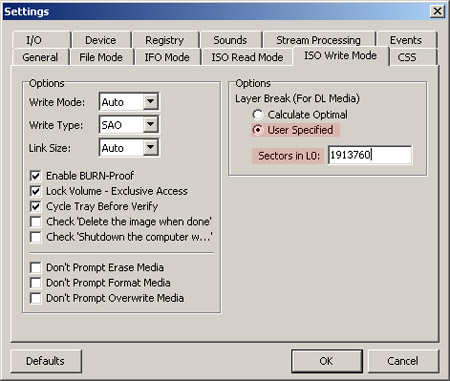
4. Now Select the option 'User Specified' as shown in the image above and then paste by right clicking and choosing paste into the 'Sectors in L0' area as indicated by red in the example image.. You could also type the number manually.
5. Now that you have everything setup just select the 'OK' button to save these settings and to go back to the main DVD Decrypter Screen.
6. Close DVD Decrypter
Editing the IMAGE.DVD File using Notepad
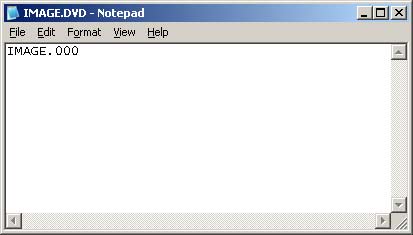
1. Switch back to the IMAGE.DVD file you have opened in notepad and delete the LayerBreak text so that you are only left with the IMAGE.000 filename as shown in the example image below:
2. Save the file from notepad with a new title.. Obviously try to make it known that it is ready to work with dvd decrypter so add it in the filename maybe..
eg. IMAGE-DECRYPTER.DVD
3. Once you have saved the newly edited file you can close notepad.
Burning the final backup
Now this is the easy part for all those who already know how to burn using DVD Decrypter so you can all go right ahead and skip this lesson but for those of you out there who don't know how to use DVD Decrypter I will explain in detail with pics to explain everything for you.
1. Start DVD Decrypter again or if you have it running still just switch back to it.
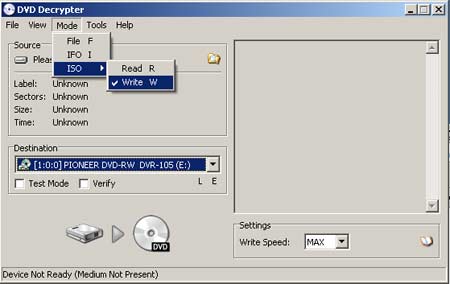
2. From the drop down menu in dvd decrypter select 'Mode' then 'ISO ->' and then finally select 'Write' as shown in the image below or alternatively you could just press the 'W' key for WRITE MODE.
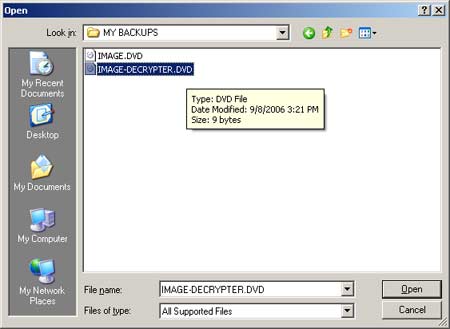
3. Open the IMAGE-DECRYPTER.DVD file you made ealier by selecting the browse icon or by choosing 'File' and then selecting 'Browse' from the drop down menu's.
Browse for the IMAGE-DECRYPTER.DVD file on your pc and open it.
IMPORTANT INFO:
If you receive a "Invalid or unsupported image file format!" error when you load this file, it means your backup was made incorrectly!
3. Insert blank media into your dvd recorder on your pc
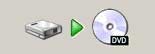
4. After the system scans the media choose the BURN icon which will light up green or choose 'File' and then Select 'Write'.. The BURN icon will only be shown when blank media is ready and inserted. The Green Arrow will Light up and allow you to select it once it is ready.. See example image.
Click the BURN icon as shown in this image
That's it your all done..
If you need support on this topic please check out the 360-hq official forums where we all we be doing our best to support our members.. :) Dont forget to check the officail forum link below too.
 HQ Network: 59,462 |
  Guests: 3797 |
 Members: 0


 Printer Friendly Page



 forahobby on 2006-09-08