Published byAnand Lal Shimpi on 2005-11-18 Category: Beginners Guides | Page Views: 38384
Introduction
Microsoft has shown the world that it's very swift when it comes to recovering from errors that it has made. With the original Xbox design, Microsoft was definitely testing new ground and thus had little experience when it came to protecting its intellectual property and hardware. The original Xbox was largely easy to open by most people with the most common of tools and was quickly adopted by the modding community as the ultimate "utility" console.
In an attempt to circumvent those with modified Xboxes, Microsoft added security and authentication features to its Xbox Live service that would detect whether an Xbox was in its original form or not. But the mod community did not sit idle and not long after, mod chips were introduced that were able to switch on and off between original BIOS mode and "modified" BIOS mode.
Microsoft has clearly announced to the public that it has designed the Xbox 360 from the ground up to thwart those who want to crack open the case -- even simply for a look inside. They have stated that the unit will be screwless (partially true) and be extremely difficult to disassemble -- unfortunately only partially true.
With a few simple tools we were able to disassemble the entire unit, removing every component from the system without any damage. If you plan to take apart your Xbox 360 -- and we must warn that doing so will void your warranty immediately -- the following tools are needed:
Required Tools
* Three torx screw drivers in the following sizes: T6, T7 and T12
* One small flat head screw driver or small and thin wedge
* A 2 inch long and thin (roughly 1.5mm thick) metal stick
* A 2 inch long and flat (less than 1mm thick) plastic or metal stick
* A pair of thin pliers
With those tools in hand, we're ready to disassemble the Xbox 360.
Removing The Outer Shell
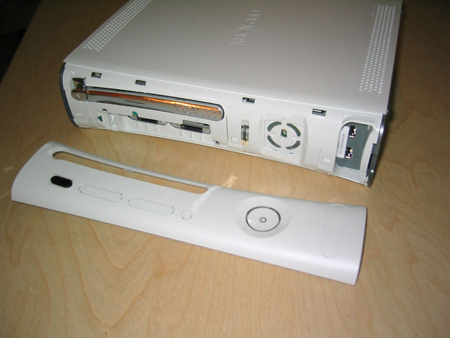
The first step is to remove the outer plastic shell that conceals the innards of the system. To do this, you must start by removing the face plate. Take a look at the front of the Xbox 360 and insert your thumb into the door that covers the two USB ports on the right of the unit. With your other hand squeezing the upper and lower sides of the face plate, pull out the face plate with your thumb. With not much force, the face plate should pop right off.
Click to Enlarge
After the face plate has been pulled off you will see a silver Microsoft sticker covering a gap; remove this. You will also see four small clips locking the top half of the plastic shell to the bottom half. Do not attempt to wedge the clips out at this point.
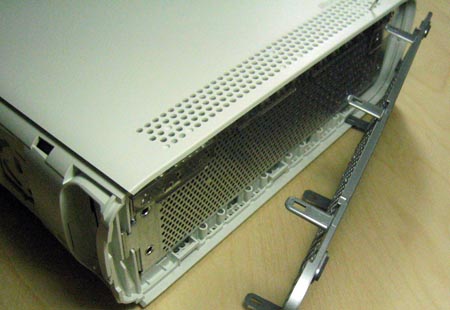
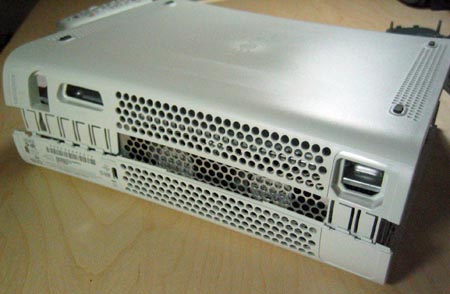
With some care, gently bend outwards, the right gray ventilation shield on the right side of the unit so that you can see a bit inside. You will notice that the gray side piece attaches to both the bottom and top white chassis. Now look through the holes on top of the unit to locate the areas where the gray side pieces attaches to the white body. What you need to do is take the long but thin metal stick and push down, through the white holes (located on both the top and bottom of the Xbox 360) where the clips of the gray side pieces connect. Slowly pull out the gray pieces away from the unit while unlocking the clips and eventually the gray piece will release itself.
Click to Enlarge
Click to Enlarge
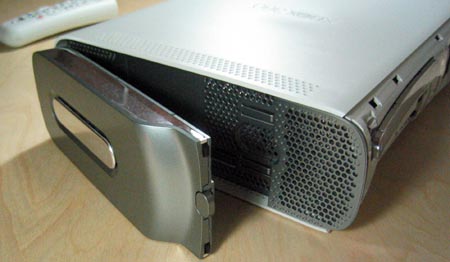
To remove the left gray piece, you must first remove the hard drive unit by pressing the button located on the unit itself. Then apply the same procedure used to remove the right gray ventilation piece -- except when you reach the bottom clip of the piece, you most remove the rubber feet located directly below, to reveal a hole where you can insert the metal stick.
Once you have both side gray pieces removed, you have essentially removed the main locking mechanism that holds the top and bottom shells together. At this point, return to the front of the unit and turn the entire unit upside down. Using a flat head screw driver or wedge, gently pry up the 4 clips holding the top shell to the bottom. Once the clips are unlatched, slowly lift up the front of the bottom shell about an inch.
Click to Enlarge
Click to Enlarge
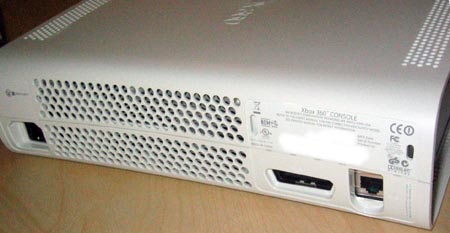
The last step to removing the bottom shell cover is to insert a thin and small plastic stick into the thin rectangular holes on the rear. The reason the front of the bottom shell needs to be lifted is to prevent the rear latches from reattaching themselves. Slowly insert the stick into each rectangular opening. You should hear a click sound for each clamp you unlatch. Once complete, you may lift off the bottom shell covering.
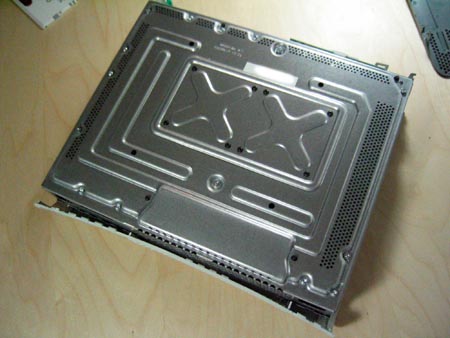
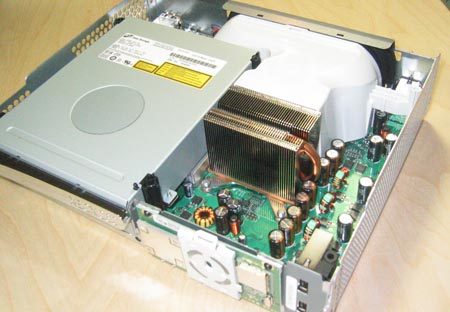
Looking inside the unit, you will notice that there are 14 silver screws (6 of which are long) and 8 black screws. Using your torx screw drivers, remove the silver screws using a size T12 screw driver and the black ones using a size T7. Once you have all the screws removed, flip the Xbox 360 right side up and lift up the top plastic shell. You should now be greeted with the internals of the Xbox 360.
 HQ Network: 20,099 |
  Guests: 4871 |
 Members: 0


 Printer Friendly Page



 Anand Lal Shimpi on 2005-11-18